10 October, 2026
How to Choose a Library ERP Solution in Bangladesh
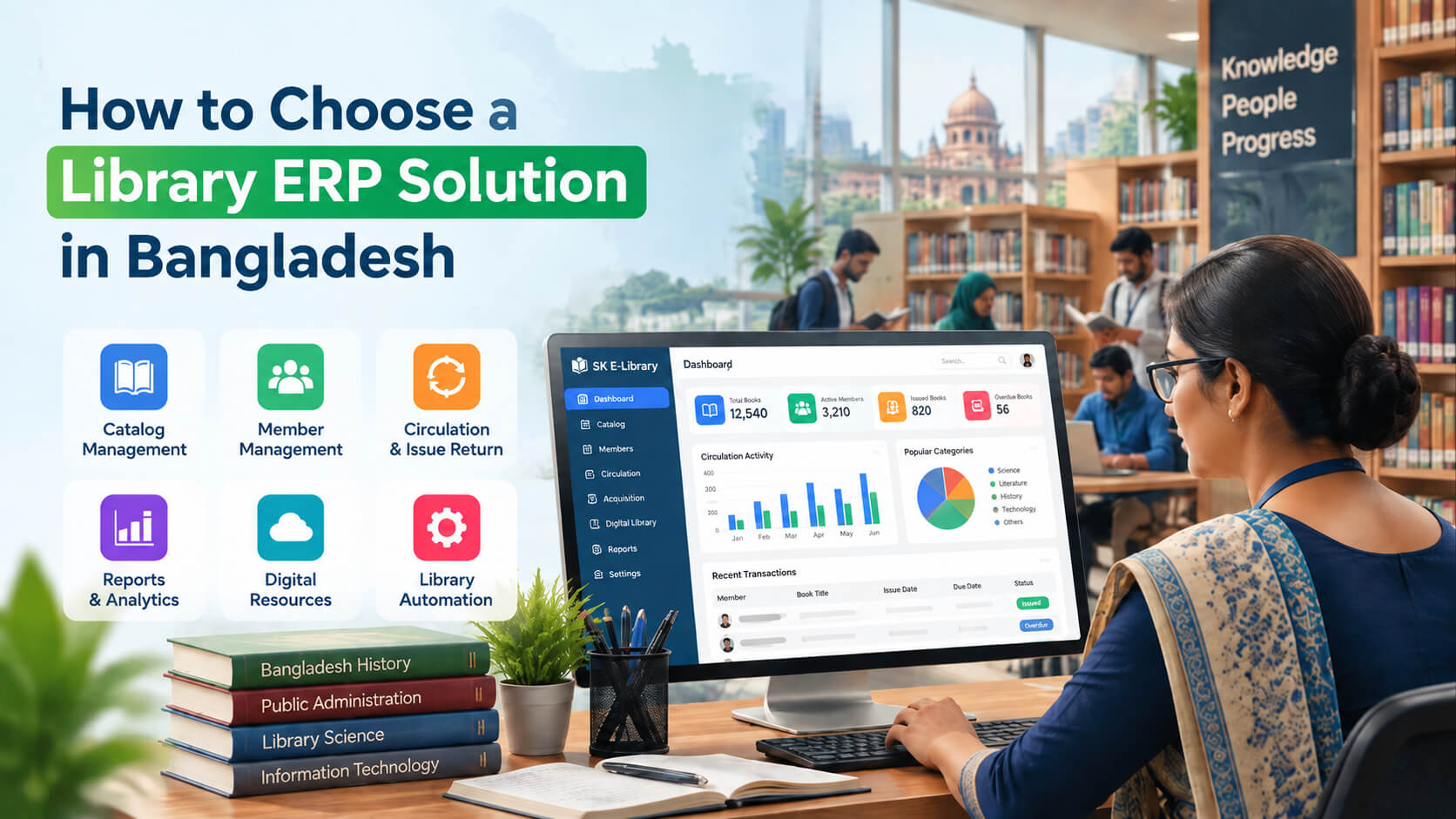
Choosing the right library ERP solution in Bangladesh can make library management easier and more efficient. This guide explains the key features, benefits, and important factors to consider when selecting a library ERP system for public libraries and institutions.
Public libraries in Bangladesh are increasingly moving from manual processes to technology-driven operations. Managing thousands of books, member records, circulation activities, digital resources, and reporting requirements can become difficult without the right software platform. Choosing the right library ERP solution in Bangladesh requires more than selecting a basic library management tool. Public library administrators need a system that supports automation, improves user experience, simplifies daily operations, and remains practical within local infrastructure and budget conditions. This guide explains how government libraries, educational institutions, and library managers can evaluate different solutions, understand essential features, compare options, and select an ERP system that supports long-term digital transformation. A suitable library ERP solution in Bangladesh should provide integrated catalog management, circulation control, member management, reporting, digital resource handling, and automation features. Public libraries should evaluate software based on scalability, local support, security, customization options, cost, and compatibility with their operational requirements before making a purchase decision. A library ERP solution is an integrated software platform that manages multiple library operations through a single system. Unlike traditional library software focused only on book circulation, an ERP based system connects different departments and workflows, including cataloging, membership, acquisitions, inventory, reporting, and digital services. For public libraries, a library ERP can act as a central management platform that improves efficiency and provides administrators with better visibility into library activities. A modern library ERP typically includes: Many libraries still rely on manual registers, spreadsheets, or disconnected applications. These approaches create challenges when collections and user numbers grow. A library management system Bangladesh organizations can rely on helps solve common operational problems. Paper-based records make it difficult to: Without proper reporting tools, administrators may struggle to understand: Readers increasingly expect: A digital library management system helps libraries respond to these expectations. Selecting an ERP system requires a structured evaluation process. The following steps can help library decision-makers make an informed choice. Before comparing software providers, define your operational needs. Consider: A small community library may need basic automation, while a government or university library may require advanced integration and reporting capabilities. Questions to ask: A clear requirement list prevents selecting unnecessary features or an unsuitable platform. Not every software solution offers the same capabilities. Understanding important library ERP software features helps organizations compare solutions effectively. Core features to look for: A reliable system should cover both current requirements and future growth. A strong library automation system reduces repetitive administrative work and improves accuracy. Automation can help with: For example, instead of manually searching through registers, staff can quickly locate a book's status through the system. An Integrated Library Management System (ILMS) combines different library functions into one connected platform. A good ILMS allows: Integration reduces duplicate data entry and improves workflow consistency. Libraries should decide whether they need cloud hosting or local installation. For many public libraries, cloud-based solutions can reduce technical maintenance requirements. However, organizations with specific security or infrastructure policies may prefer locally hosted systems. A library ERP system should match the operating environment of Bangladesh. Important considerations include: Software support quality is often as important as the software itself. A technically powerful system can become difficult to manage without proper implementation support. One common decision is whether to choose open-source software or a commercial ERP solution. Examples of advantages: Possible challenges: Advantages: Possible limitations: The right choice depends on available resources, technical capability, and long-term goals. Libraries manage important information, including: A reliable ERP system should include: Libraries should ask vendors how data is protected and recovered during system failures. A library ERP should support future expansion. Consider whether the system can handle: Replacing software every few years can create unnecessary costs and operational disruption. Libraries planning digital transformation can follow this approach: Convert book and member information into structured digital records. Choose a system based on: Provide training on: Start with important functions: Review: Consider a district public library managing: A suitable system should provide: A small library with fewer resources may prioritize affordability and simplicity, while a larger institution may require advanced integrations and customization. The best solution is not necessarily the one with the most features. It is the one that matches the library's operational needs. The cheapest option may lack important features or support. A complicated system can reduce adoption among librarians. Implementation problems often occur when training and technical assistance are unavailable. A system should support future growth, not only current requirements. Moving existing book records and member information requires proper preparation. Compare providers using the same criteria. A demo helps evaluate: Understand: Include: A library ERP provider should support continuous improvement, not only initial installation. The best library ERP solution depends on a library's size, budget, workflow, and technical requirements. Public libraries should evaluate features, support services, scalability, security, and customization options before selecting a system. A library ERP system automates cataloging, circulation, member management, reporting, and inventory tracking. It reduces manual work, improves accuracy, and helps administrators manage resources more effectively. A complete library management system should include catalog management, circulation tracking, OPAC, member management, reporting, barcode support, digital resource handling, and administrative controls. Open-source and commercial library ERP systems both have advantages. Open-source solutions provide flexibility, while commercial systems usually offer stronger vendor support and easier implementation. The cost varies depending on features, number of users, hosting requirements, customization, and support services. Libraries should evaluate total ownership cost rather than only initial pricing. Many modern ERP systems support multi-branch management. Organizations should confirm branch management features before purchasing. Implementation time depends on collection size, data migration requirements, customization, and staff training needs. Small libraries may complete implementation faster than large institutions. Choosing the right library ERP solution in Bangladesh requires careful evaluation of features, usability, security, scalability, and vendor support. Public libraries should focus on selecting technology that solves real operational challenges rather than simply choosing software with the longest feature list. A well-planned library automation system can improve resource management, enhance reader services, and support the long-term digital development of libraries across Bangladesh. By following a structured selection process, library administrators can invest in a solution that delivers measurable operational value and supports future growth.Direct Answer
What Is a Library ERP Solution?
Why Should Public Libraries in Bangladesh Adopt ERP Software?
Common challenges faced by libraries
Manual record management
Limited visibility into library performance
Growing demand for digital services
How to Choose a Library ERP Solution in Bangladesh?
1. Understand Your Library Requirements
2. Evaluate Essential Library ERP Software Features
Feature Why It Matters Catalog Management Organizes books and resources efficiently Circulation Management Automates issue, return, and renewal processes Member Management Maintains reader profiles and activity records OPAC Allows users to search library collections online Reporting Dashboard Helps administrators monitor performance Inventory Management Tracks physical resources accurately Barcode/RFID Support Speeds up library transactions Digital Resource Management Supports electronic content access User Permissions Controls staff access levels 3. Check Support for Library Automation
4. Consider an Integrated Library Management System (ILMS)
5. Compare Cloud-Based and On-Premise Solutions
Option Advantages Limitations Cloud-based ERP Easy access, automatic updates, lower maintenance Requires reliable internet On-premise ERP Greater infrastructure control Requires internal IT management 6. Evaluate Local Compatibility and Support
7. Consider Open Source vs Commercial Library ERP
Open Source Library ERP
Commercial Library ERP
Open Source vs Commercial Library ERP Comparison
Factor Open Source Commercial Initial Cost Usually lower Usually higher Customization High flexibility Depends on vendor Technical Support May vary Usually included Maintenance Organization responsibility Vendor supported Best For Technically capable organizations Libraries needing managed solutions 8. Review Security and Data Management
9. Check Scalability for Future Growth
How to Automate a Public Library: Step by Step Process
Step 1: Digitize existing records
Step 2: Select appropriate software
Step 3: Train library staff
Step 4: Introduce automation gradually
Step 5: Monitor performance
Practical Example: Selecting ERP for a Public Library in Bangladesh
Common Mistakes When Choosing Library ERP Software
1. Selecting software based only on price
2. Ignoring staff usability
3. Not checking vendor support
4. Choosing without future planning
5. Failing to plan data migration
Expert Tips for Choosing the Right Library ERP
Create a feature checklist before contacting vendors
Request a live demonstration
Ask about implementation timelines
Consider total ownership cost
Prioritize long-term partnership
Frequently Asked Questions
1. What is the best library ERP solution in Bangladesh?
2. How does a library ERP system help public libraries?
3. What features should a library management system include?
4. Is open-source library ERP better than commercial software?
5. How much does a library ERP solution cost in Bangladesh?
6. Can library ERP software support multiple branches?
7. How long does it take to implement library automation software?
Conclusion